
THE ESSENTIALS
Before you begin
- A song playing in Mixify.
- An internet connection when lyrics need to be fetched.
- A track with available lyrics; timed coverage varies by song and recording.
LET’S DO THIS
Step by step
- 01
Start a song
Find a track through Search, Home or your library and begin playback. Open the full player from the mini player.
- 02
Open the lyrics view
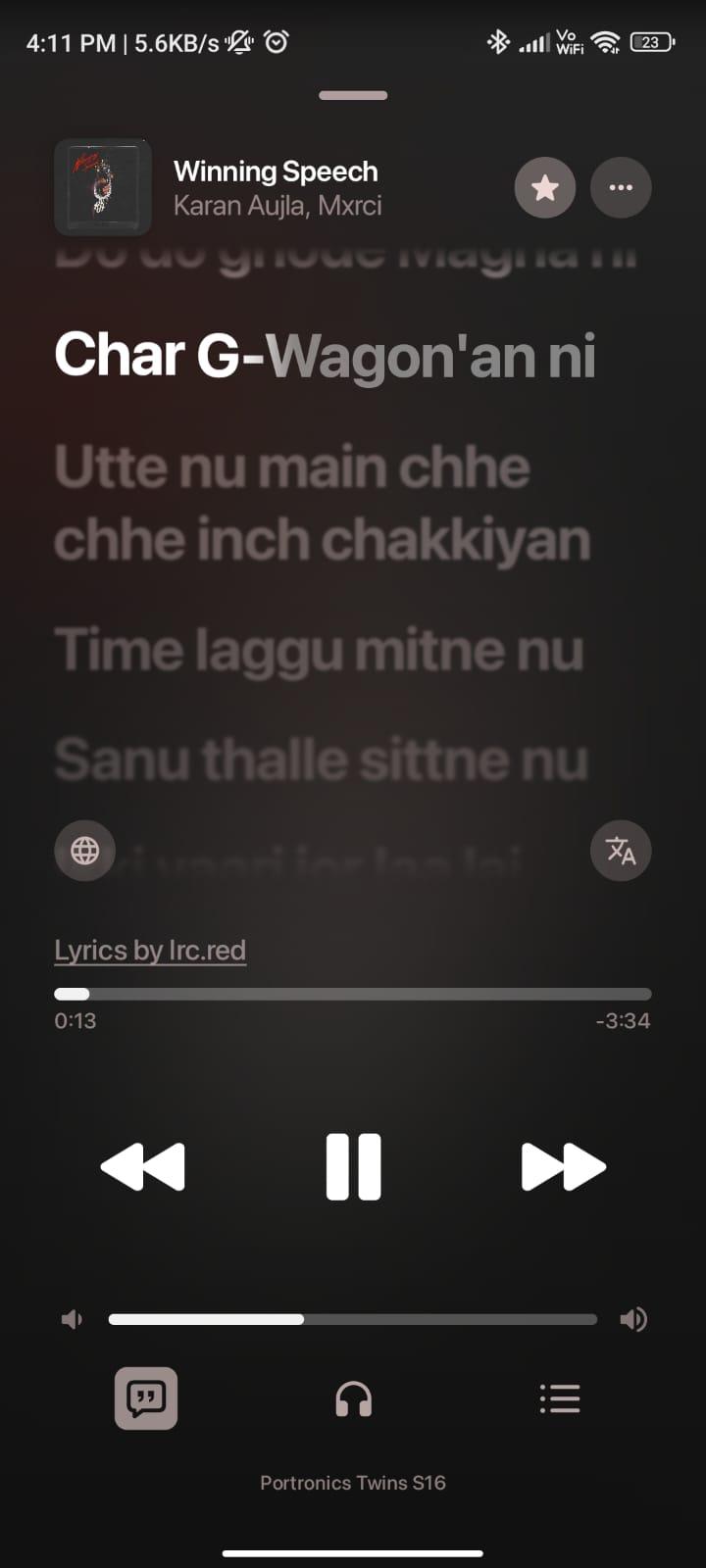
Tap the lyrics or speech-bubble icon in the player. In the supplied Mixify interface, the lyrics control sits near the bottom of the full player.
- 03
Follow the highlighted line
For a song with timed lyrics, the current line is highlighted as playback moves through the track. Untimed lyrics may appear without following the song.
- 04
Explore the available controls
Use playback controls to pause, resume or move through the song. Check the lyrics menu or appearance settings for options included in your installed version.
Why some songs do not have synced lyrics
Lyrics availability depends on the song and its provider. Different live versions, remixes or edits can have different timings. Having lyrics for one recording does not guarantee a timed match for another. The screenshots illustrate the interface; the exact controls can vary between releases.
A LITTLE HELP
If something gets stuck
No lyrics appear
Check your connection, reopen the lyrics view and try another well-known track. Missing lyrics for one song does not necessarily mean the feature is broken.
Lyrics appear but do not follow the song
The available lyrics may not include timestamps. Try another recording of the song if one is available.
The highlighted line is early or late
Check whether the lyrics match the exact recording, especially for live versions and remixes. Try a different version or reopen the track.
The interface looks different
Check the version in About and compare it with the current official release. Labels and available lyrics options may change between builds.
GOOD TO KNOW
Common questions
Are synced lyrics available for every song?
No. Some songs have timed lyrics, some have untimed lyrics and others may have none.
Do lyrics always work offline?
Do not assume that downloading audio also saves its lyrics. Offline lyrics depend on what your installed version has already stored.
Ready for your next listen?
Get the official Android APK or check the latest release notes.